OWI — Ollaya Web Interface
Web UI + HTTP API in front of the local Ollaya server
(POST /api/decide, GET /api/tags, GET /api/ps, /v1/*, …)
and its MCP server (ollaya mcp --http).
What it does
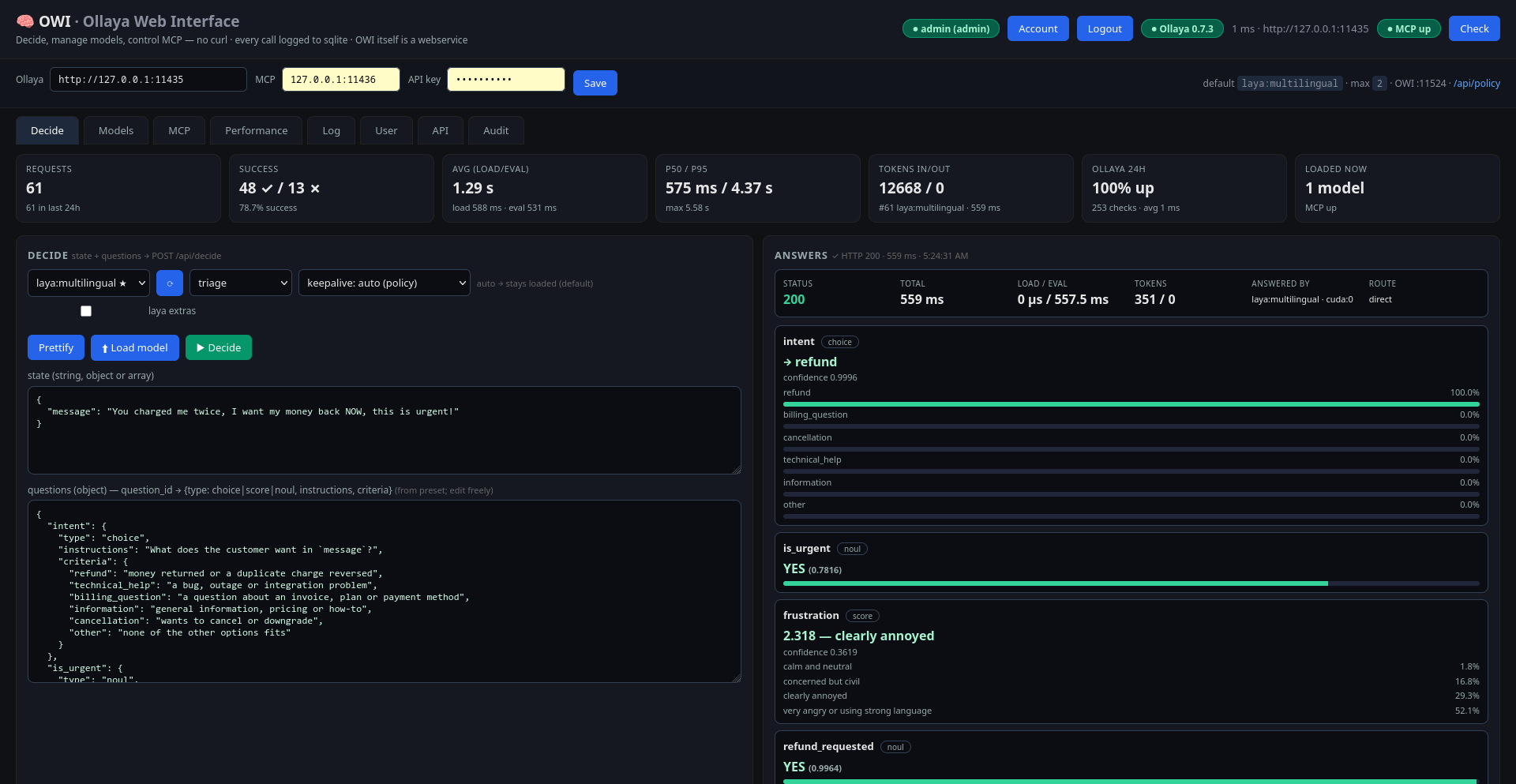
- Decide playground — pick a model, a built-in preset
(
triage,email,guard,moderation,router,agent) or your own questions; answers with probabilities, load/eval timings, routing info. - Model manager — list local + loaded models, pull / delete / copy / create (Modelfile-style), load / unload, default-model keep-alive policy.
- MCP control — local start/stop plus remote-host management over SSH (key auth), tool calls, resources, client config snippets.
- Users & security — session login for the UI, bearer API keys for
scripts,
admin/userroles; per-user history and metrics scoping. - Performance & log — totals, p50/p95, per-model/per-preset/per-day, health history, searchable log with retention.
- Full API — everything the UI does is a
GET/POST /api/*call.
Contents
Install — pick one path
Requirements: Ollaya serving
(default http://127.0.0.1:11435, tested against Ollaya 0.7.3),
plus Python 3.10+ (bare metal) or Docker (container) —
pick one path, not two on the same host.
Prebuilt image
Fastest try-out, no clone or build (see README):
mkdir -p data config
curl -s -o config/ollaya-webui.yaml \
  https://raw.githubusercontent.com/YOKurnaz/owi/main/config/ollaya-webui.yaml
docker run -d --name ollaya-webui --restart unless-stopped --network host \
  -e OWI_CONFIG=/config/ollaya-webui.yaml -e OWI_DB=/data/owi.db \
  -e OLLAYA_BASE_URL=http://127.0.0.1:11435 \
  -v ./config:/config:ro -v ./data:/data \
  ghcr.io/yokurnaz/owi:0.2.1
# UI: http://<HOST-IP>:11524 (first login: admin / admin)
Smoke-tested but not yet battle-tested — bare metal remains best-supported for now.
Bare metal
git clone https://github.com/YOKurnaz/owi.git
cd owi
python3 -m venv .venv
.venv/bin/pip install -r requirements.txt
bash run.sh
# UI: http://<HOST-IP>:11524
First login is admin / admin — change it immediately in the User tab.
Or run as a service: see the
README.
Docker
Prebuilt: ghcr.io/yokurnaz/owi:0.2.1 (docker pull it to skip the build).
git clone https://github.com/YOKurnaz/owi.git
cd owi
docker build -t ollaya-webui:latest .   # or: docker pull ghcr.io/yokurnaz/owi:0.2.1
mkdir -p data config
docker compose up -d --build
# UI: http://<HOST-IP>:11524 (first login: admin / admin)
Step-by-step (plain docker run, volumes, host.docker.internal,
MCP notes) in the README.
Screenshots
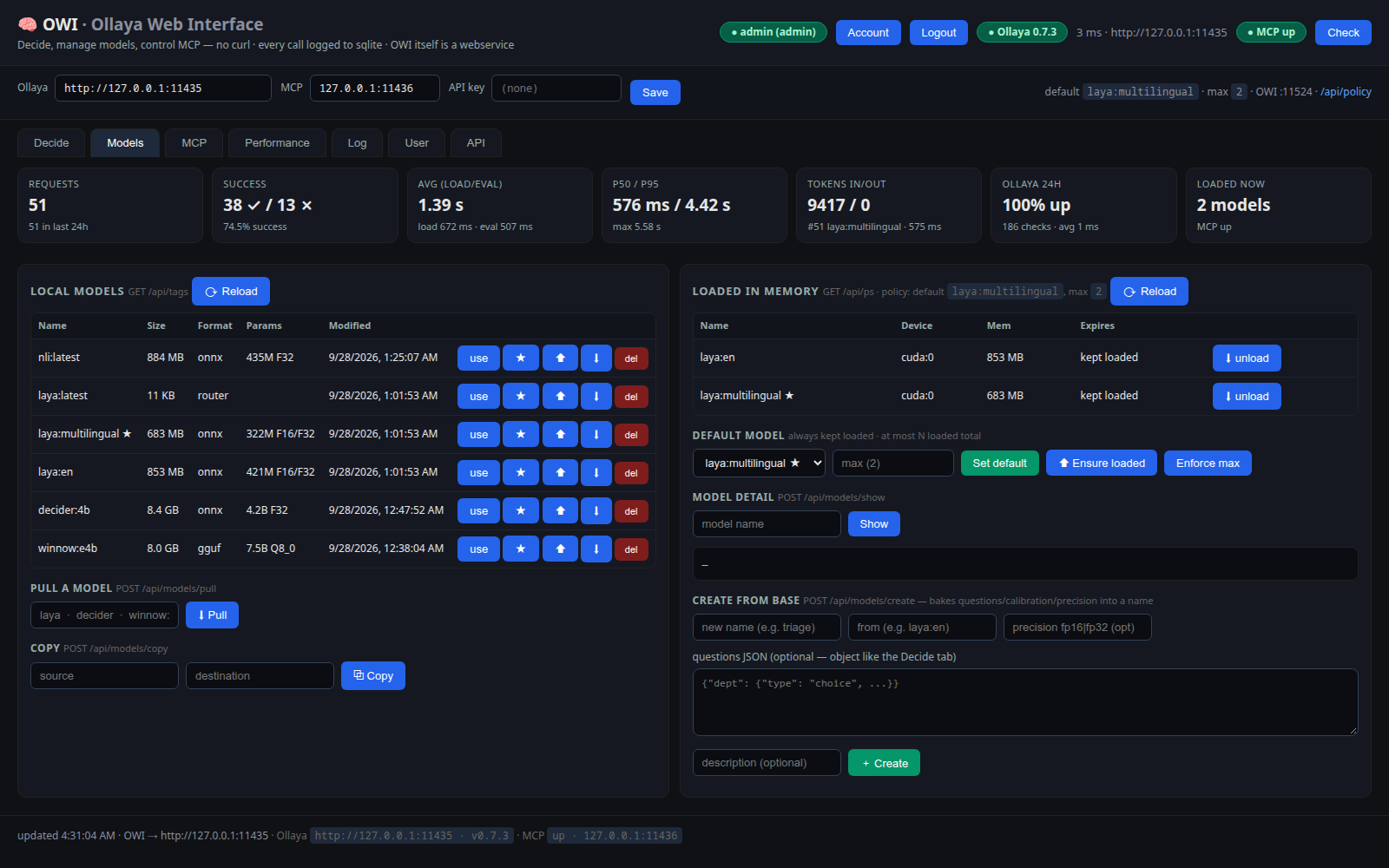
Models — local library, loaded in memory, default-model policy
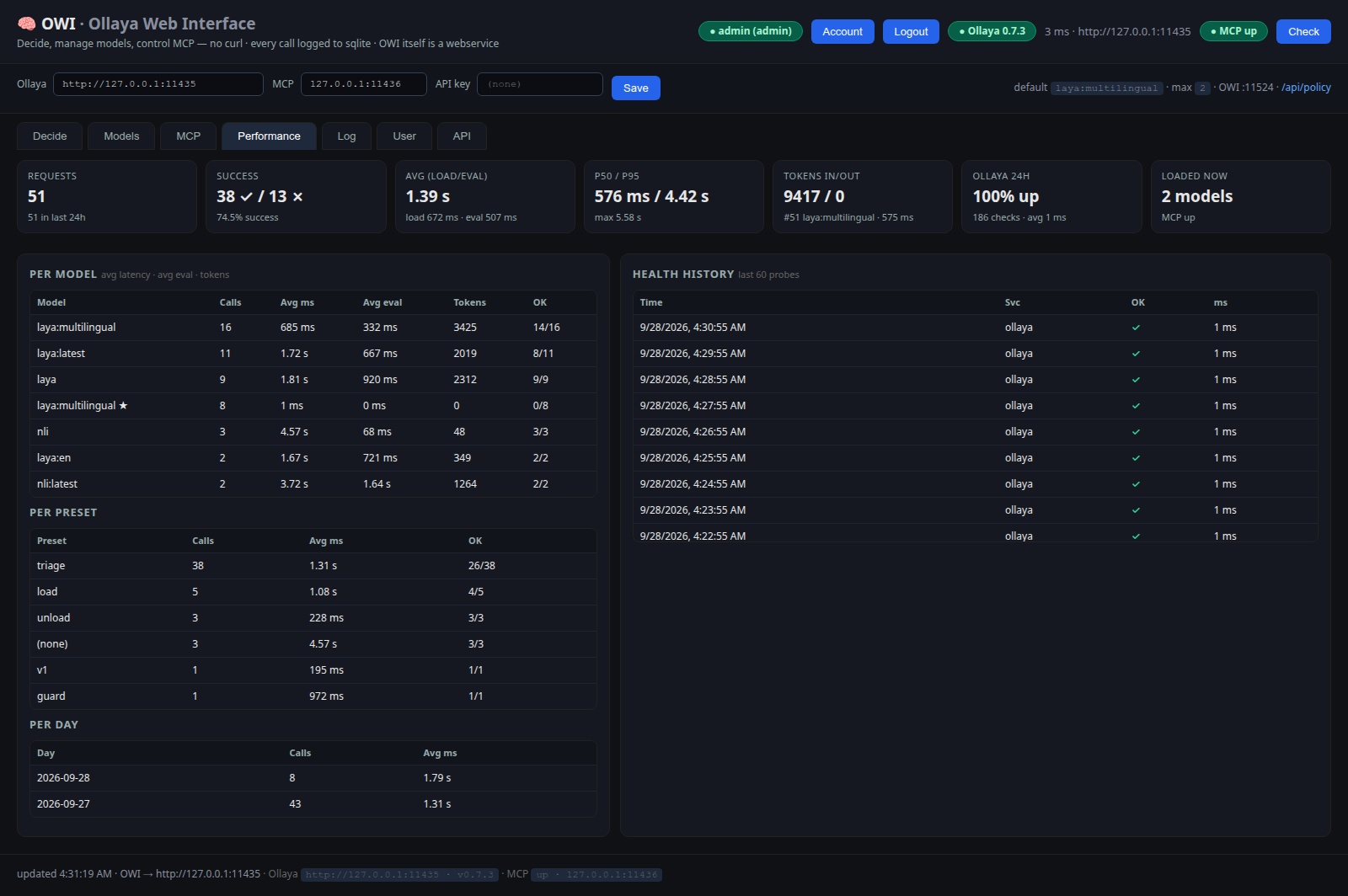
Performance — per-model / per-preset / per-day, health history
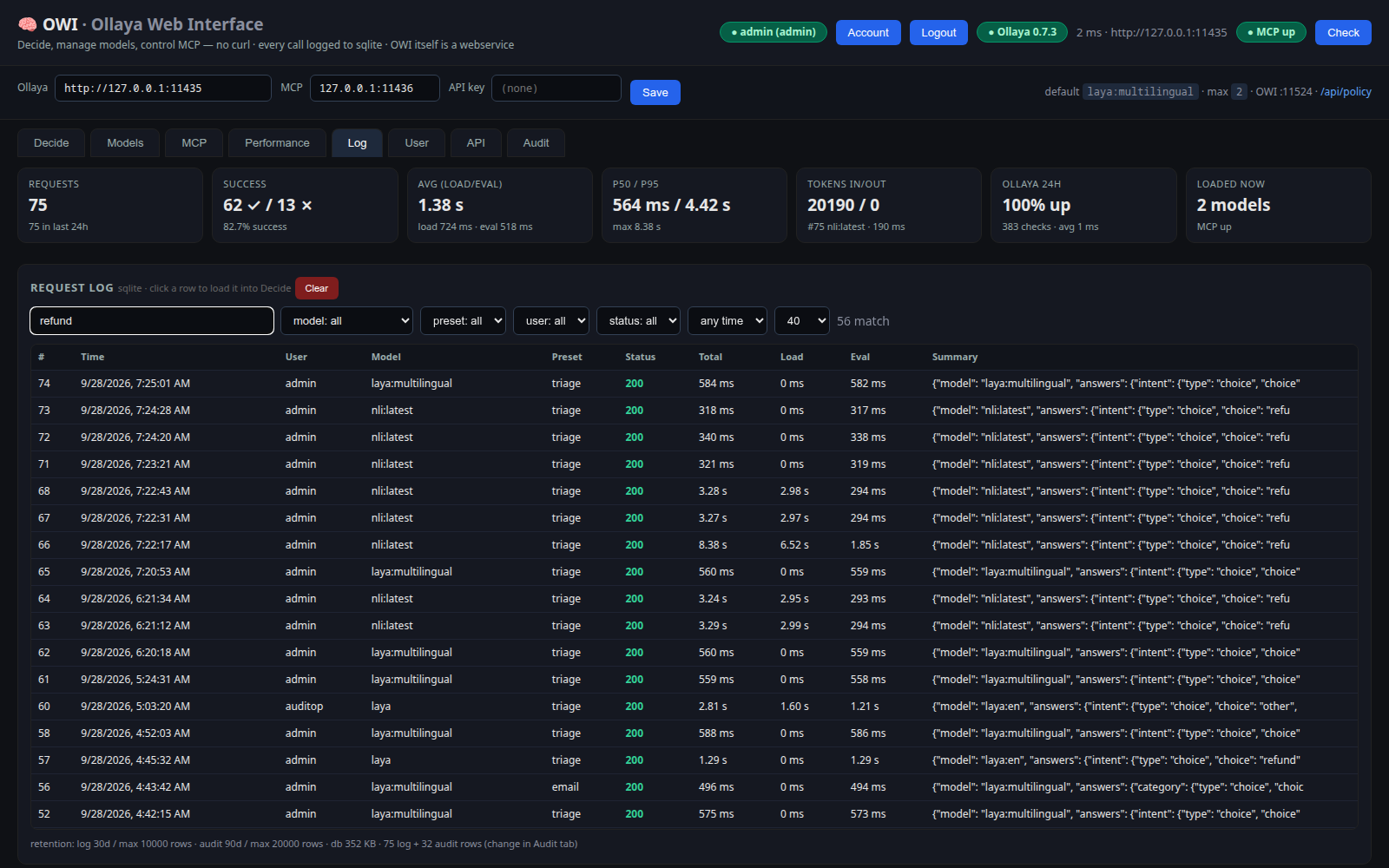
Request log — search, filters, retention
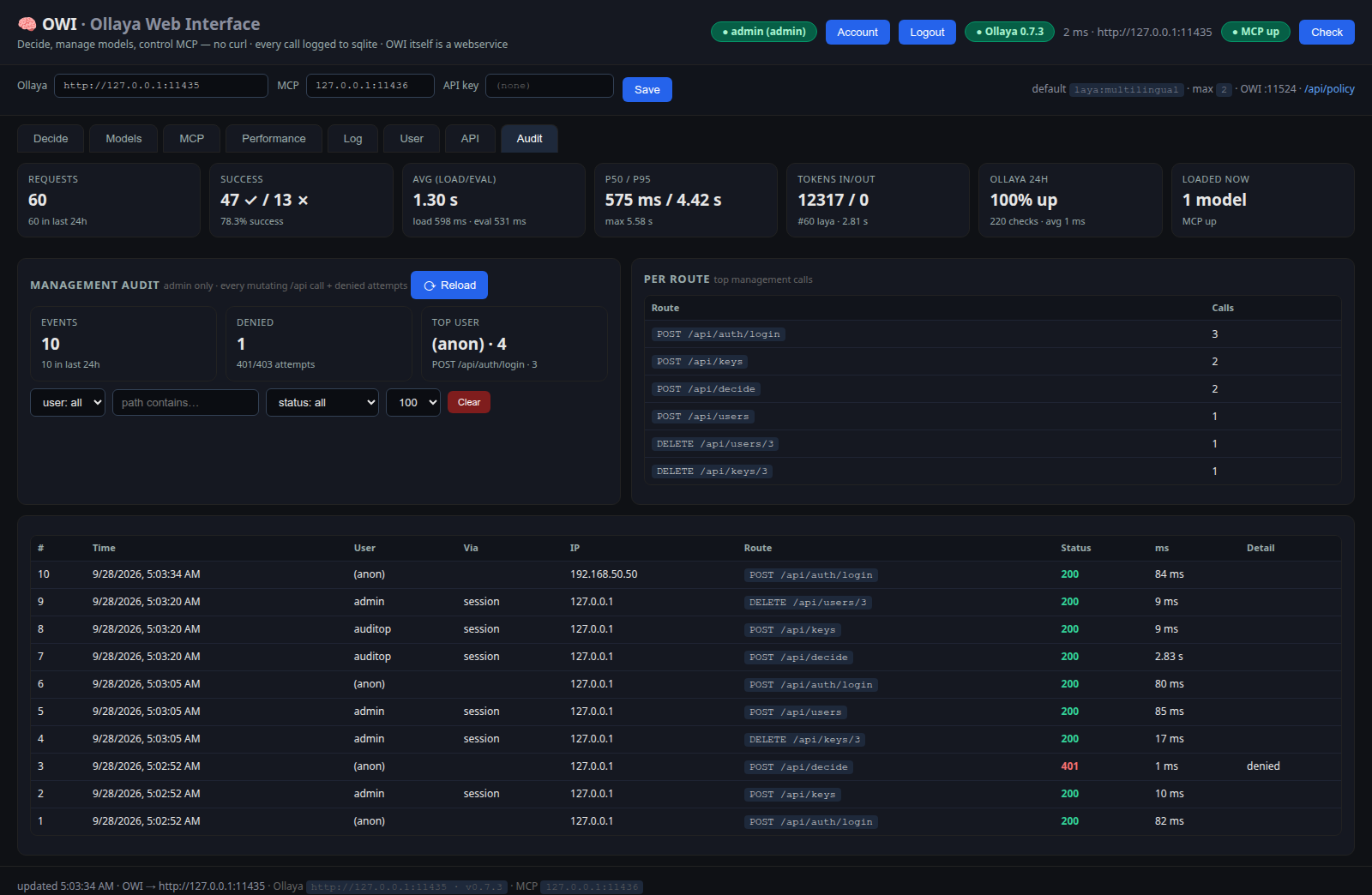
Audit — admin-only trail of management calls + denied attempts
Quick API taste
B=http://<HOST-IP>:11524
curl -s -c jar -X POST $B/api/auth/login \
  -H 'Content-Type: application/json' -d '{"username":"admin","password":"..."}'
curl -s -b jar -X POST $B/api/keys -d '{"name":"n8n"}'   # key shown ONCE
KEY=owi_...
curl -s $B/api/decide -H "Authorization: Bearer $KEY" \
  -H 'Content-Type: application/json' -d '{
    "model": "laya", "preset": "triage",
    "state": {"message": "You charged me twice, refund NOW!"}
  }' | python3 -m json.tool
Full guide in the README — source code, feedback via GitHub issues.